0 / 20000
Nano Banana Image Generator — Create with Google AI Free
Omni AI Video gives you direct access to Nano Banana 2 and Nano Banana Pro — Google DeepMind's latest AI image models. Nano Banana 2 queries Google Search before generating to verify real-world brand logos, landmarks, and product designs. Nano Banana Pro locks character appearance and visual identity across a full image series. GPT Image 2, Seedream 4.5, Flux 2 Pro, and Seedream 5 Lite cover typography, 4K output, batch speed, and complex spatial composition — all from the same workspace, nothing to install.
AI Image Models on Omni AI Video — Led by Nano Banana 2
Nano Banana 2 leads with Google Search grounding and real-world accuracy. Nano Banana Pro for character-consistent series. GPT Image 2 for typography. Seedream 4.5 for 4K. Flux 2 Pro for batch speed.
GPT Image 2
OpenAI · Typography at 99%+ Accuracy — Thinking Mode, Up to 4K
The model for images where text must be readable. GPT Image 2 uses Thinking Mode to resolve typographic composition before rendering — placing headlines, sizing body copy, and applying font weight correctly in a dedicated reasoning step. Achieves 99%+ character accuracy across Latin, CJK, Arabic, Hindi, and Bengali scripts. Product labels, poster headlines, and multilingual signage render without post-production corrections. Outputs up to 4K, accepts up to 16 reference images.
Seedream 4.5
ByteDance · Native 4K Output — 8 References, Bilingual Text, 21:9
Seedream 4.5 generates natively at up to 4K resolution across eight aspect ratios including 21:9 ultrawide — the right choice for large-format print, widescreen production art, and billboard assets. Delivers strong bilingual text rendering accuracy for both English and Chinese scripts. Accepts up to 8 reference images for style-locked series and visual identity work across a campaign.
Flux 2 Pro
Black Forest Labs · Batch Speed — Under 10 Seconds per Image, Photorealism
The engine for volume output. Flux 2 Pro generates a 1K image in under 10 seconds — fast enough to run an entire content calendar batch in a single session. Benchmark-leading win rate in blind photorealism tests for material surfaces, product textures, and environmental detail. Generates at 1K and 2K across seven aspect ratios. Choose Flux 2 Pro when iteration speed and throughput matter more than maximum resolution.
Nano Banana Pro
Google DeepMind · Character-Locked Series — 8 Reference Photos, Up to 4K
Nano Banana Pro is Google's professional image model — Gemini 3 Pro Image. Upload up to 8 reference photos and it locks face structure, hairstyle, clothing details, and distinguishing marks as fixed constraints across every image in a series. Front views, profiles, expression sheets, and costume variants all maintain the same recognizable character identity without drift between generations. Outputs up to 4K across 11 aspect ratios.
Nano Banana 2
Google DeepMind · Google Search Grounding — Real-World Accuracy, 4K, 15 Ratios
Nano Banana 2 is Google's latest AI image model — Gemini 3.1 Flash Image Preview. Before generating, it queries Google Search to verify the visual appearance of real-world subjects: brand logos, actual landmarks, current product designs. The output matches what the subject actually looks like rather than a generalized approximation from training data. Accepts up to 14 reference images across 15 aspect ratios with 4K output — the widest format selection on this platform.
Seedream 5 Lite
ByteDance · Chain-of-Thought Visual Reasoning — Complex Multi-Figure Scenes
Seedream 5 Lite applies Chain-of-Thought visual reasoning before rendering — generating an internal spatial plan that maps depth relationships, resolves occlusion between overlapping subjects, and sequences compositional steps before any pixels are generated. In multi-figure scenes where standard models produce flat arrangements, Seedream 5 Lite maintains correct spatial separation. Outputs at 2K or 3K, accepts up to 14 reference images.
How Nano Banana 2's Google Search Grounding Works
Most AI image models generate from training data alone — when you describe a specific brand logo or real-world location, the output is an approximation of what the model learned during training, not a verification of how the subject currently looks. Nano Banana 2 works differently: before generating any pixels, it queries Google Search to retrieve visual reference data for real-world subjects named in the prompt. Brand logos render with correct proportions and colors. Current landmarks appear as they actually look in recent photographs. Product designs match what's in market rather than a generalized version from older training data. This grounding step runs automatically on prompts that reference specific real-world subjects — no special syntax or tags required. Pair it with up to 14 reference image uploads across 15 aspect ratios for layered visual control. Output at up to 4K.
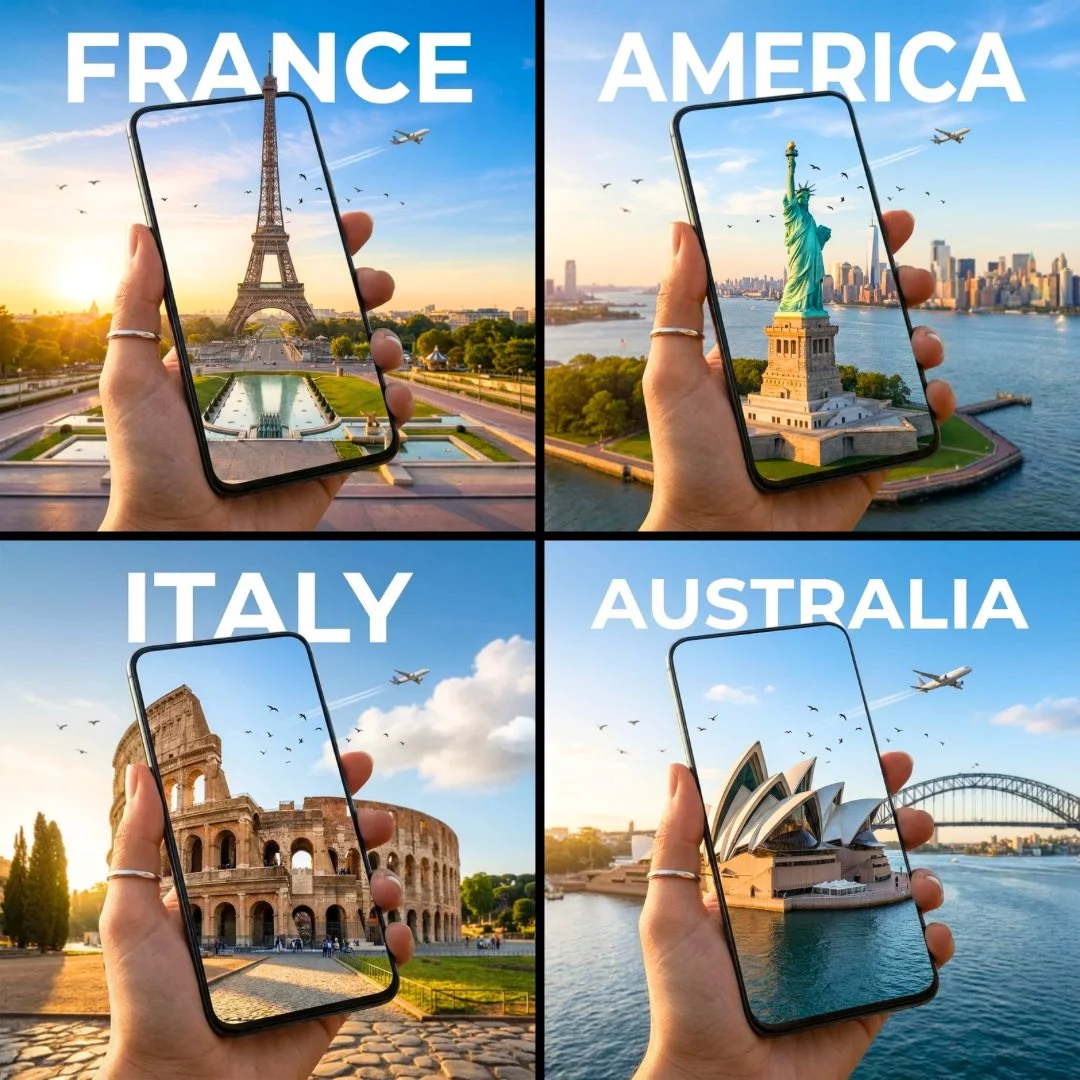
What Creators Use Nano Banana and Google AI Images For
From brand accuracy to character series — four use cases where Nano Banana's Google-backed capabilities deliver results generic models cannot match.
Brand Assets with Real-World Accuracy
Google Search grounding keeps logos, products, and landmarks visually correct
Use Nano Banana 2's Google Search grounding to generate brand assets where logos, product packaging, and real-world locations appear as they actually look — not as the model approximates from training data. For assets requiring legible text — product labels, poster headlines, price tags — GPT Image 2 renders typography at 99%+ accuracy. Both engines output at up to 4K, commercially licensed and watermark-free on paid plans.
Consistent Character Across a Full Series
The same face and outfit across every view — front, side, expression, costume
Upload four to eight reference photos of your character and Nano Banana Pro treats every facial feature, hairstyle detail, and clothing element as a fixed constraint across the full series. Generate front views, 45-degree profiles, expression sheets, and costume variants — every frame maintains the same identity without drift. For multi-figure scenes where characters interact with correct depth and occlusion, Seedream 5 Lite handles spatial arrangement before rendering.
Product Photography at 4K Scale
4K product shots and lifestyle scenes — no studio booking required
Seedream 4.5 generates product images natively at up to 4K across eight aspect ratios for packaging, large-format print, and billboard use — no upscaling. Upload your product on a plain background and generate it in any styled lifestyle scene. Flux 2 Pro handles batch SKU runs under 10 seconds per image. For products where a readable label must appear inside the image, GPT Image 2 renders text accurately. All output is commercially licensed and watermark-free on paid plans.
Complex Scene Composition Without Spatial Errors
Multi-figure compositions with correct depth — spatial relationships rendered, not approximated
Seedream 5 Lite applies Chain-of-Thought visual reasoning before rendering — planning which subjects are in front, how overlapping figures occlude each other, and where depth cues should fall. For concept art, storyboard panels, and multi-character compositions where standard models collapse depth into flat arrangements, Seedream 5 Lite maintains the spatial logic described in the prompt. Outputs at 2K or 3K across eight aspect ratios including 21:9. Accepts up to 14 reference images.
Nano Banana Prompt Examples — Reference-Led and Text-Only
Effective Nano Banana prompts match the engine to the task. These four examples show the right model for each generation goal.
Brand Asset with Google Search Accuracy
Best with Nano Banana 2 — Google Search grounding, 14 references, real-world accuracy
"A street-level storefront with the Apple Store logo on the facade, glass entrance with clean white interior visible. Correct logo proportions and placement. Soft overcast daylight, slight wet reflection on the pavement. Architectural photography style. 16:9 widescreen."
Character Design Sheet for a Series
Best with Nano Banana Pro — 8 reference photos, identity-locked across every frame
"Character design sheet — female protagonist, age 28, auburn hair pulled back, small silver earrings, wearing a dark navy coat. Three views: front facing, 45-degree profile, rear. Consistent face structure, same coat and earrings in all three frames. Clean white background, no text labels."
Brand Poster with Readable Typography
Best with GPT Image 2 — 99%+ text accuracy, Thinking Mode layout
"Bold product launch poster, matte black background, large centered sans-serif headline reading "NEW DROP — MARCH 21", secondary line reading "Limited to 300 units" in smaller weight. Small brand mark in bottom right. Clean layout, no photographic elements. 3:4 portrait format."
4K Product Shot in a Lifestyle Scene
Best with Seedream 4.5 — native 4K, 8 references for visual anchoring
"Luxury hand cream tube on a stone slab beside dried botanicals and a linen cloth. Soft diffused natural light from the upper left. Clean commercial product photography, no text. Warm earthy tones throughout. 3:4 portrait ratio, native 4K."
Four techniques that improve Nano Banana and Google AI image output:
- • Match the model to what the image requires - Model selection matters more than prompt refinement. Nano Banana 2 for real-world subject accuracy. Nano Banana Pro for character-consistent series. GPT Image 2 for legible text inside the image. Seedream 4.5 for native 4K. Flux 2 Pro for batch speed. Seedream 5 Lite for complex multi-figure spatial composition.
- • Quote exact text that must appear in the image - For GPT Image 2, put quoted text directly in the prompt: a label reading CLARITY SERUM, or a headline reading SUMMER DROP. Named, quoted text renders at 99%+ accuracy. Described text — a label with the brand name — is treated as visual texture and renders inconsistently.
- • Name the medium and lighting source explicitly - Writing editorial product photography on a white marble surface with soft overhead light activates genre-specific rendering behaviors. Name the light source type and direction: diffused side window light from the left, or hard rim light from behind. Medium framing and explicit lighting outperform style adjectives.
- • State your aspect ratio for correct compositional framing - Write the target format into the prompt — "9:16 vertical", "21:9 widescreen", "3:4 portrait" — so the model applies correct compositional framing from the first pass. Nano Banana 2 supports 15 ratios. Nano Banana Pro supports 11. Without an explicit format, the model defaults to its trained distribution.
How to Create AI Images with Nano Banana — Three Steps
From prompt to watermark-free download in one session. Text-to-image and image-to-image across every model — nothing to install.
Write your prompt or upload reference images
Describe the subject, scene, lighting, style, and any text that must appear inside the image. For image-to-image mode, upload reference photos to anchor appearance, character identity, or visual style — Nano Banana 2 accepts up to 14 references; Nano Banana Pro up to 8; GPT Image 2 up to 16. Text-only prompts also work — reference uploads are optional.
Select the model that matches your task
Nano Banana 2 for real-world brand accuracy via Google Search grounding. Nano Banana Pro for character-consistent image series. GPT Image 2 when text must be legible inside the image. Seedream 4.5 for native 4K and bilingual text rendering. Seedream 5 Lite for complex multi-figure spatial compositions. Flux 2 Pro for high-volume batch production.
Download and use commercially
Generation takes 5 to 60 seconds depending on the model and resolution. Output is a clean PNG or JPEG — watermark-free on paid plans, fully licensed for commercial use including advertising, product packaging, client deliverables, and social media publishing. Run the same prompt on a second model to compare before downloading.
Complete Your Creative Pipeline
Generate images with Nano Banana, then animate them into video with Gemini Omni, add lip sync, or generate voiceover — all from the same Omni AI Video platform.
Nano Banana AI Image Generator — Frequently Asked Questions
What Nano Banana is, how to choose between models, and how to get the best results from Google AI image generation on Omni AI Video.
Generate Your First Nano Banana Image — Free on Omni AI Video
Write a scene description or upload reference images. Nano Banana 2 generates with Google Search accuracy — Nano Banana Pro locks character identity across your full series. Nothing to install, start in seconds.